Why am I paying for the VAT/Sales tax?
Shipping fees were collected during the campaign. However, due to country and state specific regulations, you are responsible for paying any taxes and import duties which apply in your country or state. We have no control over that. These fees are declared and paid to respective authorities. If pre-paid option is not available for the final destination, we will ship packages without paying duties. Recipients are subject to complete and pay duties directly to their local authorities.
Last updated: August 03, 2021 14:26
What makes Monument different?
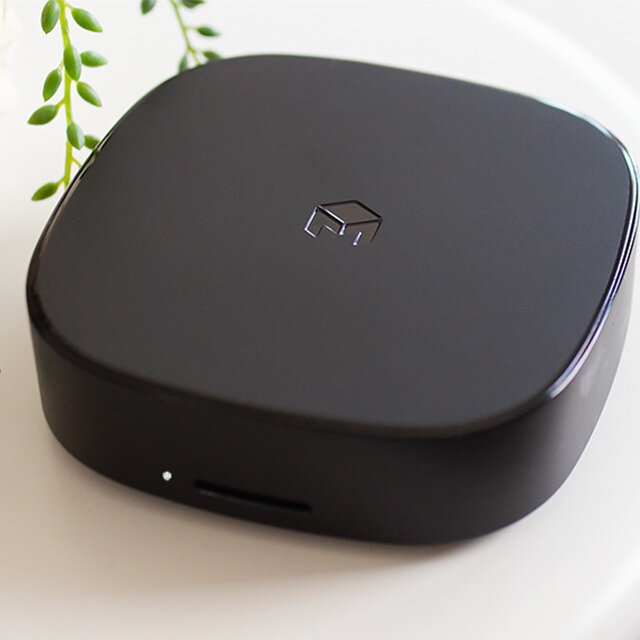
It’s a powerful photo storage and organization solution while providing cloud-level experience and protecting privacy.
So rather than being left with other alternative solutions that control and use our personal data, we created Monument 2 in a way that is simple, protects privacy, and provides a truly great experience to discover and manage our photos.
With its highly reliable internal SSD storage(optional), Monument keeps photos and videos safe.
Last updated: June 16, 2021 12:16
When will it be available?
The estimated shipping date was May 2021. Due to the worldwide silicon shortage, the shipping will start by mid-August 2021.
Last updated: August 03, 2021 14:26
What's the difference between Monument 1 and Monument 2?
Monument 2 is the result of the immense feedback we received from our community. Monument 2 is 10x faster and includes much more accurate AI capabilities.
Additionally, Monument 2 includes dual band WiFi, built-in SSD, and USB 3.0 which provides higher performance.
Last updated: June 16, 2021 12:16
Can I trade in my existing Monument 1 for a Monument 2?
We don’t have trade in, but you can simply get $10 back if you are a Monument owner.
After you pledge for Monument 2 on Kickstarter, please use this form to get your cash back.
https://monument2.getmonument.com/monument2-cashback
Last updated: June 16, 2021 12:16
How can I transfer my photo library from Monument 1?
When Monument 2 is shipped we will also have updated apps that support seamless migration to Monument 2.
It will involve a few clicks in the app and the existing library with all people, albums and tags will be transferred to Monument 2. The app will understand the migration and continue the operation on the new Monument.
Last updated: June 16, 2021 12:16
How does it differ from Google Photos?
Compared to Google Photos, Monument provides a similar photo management experience while protecting privacy and security. We don’t use, market, or sell any personal data.
Additionally, with the latest change on Google Photos, you need to buy a storage plan. Monument stores photos in original resolution at no additional cost. We don’t downgrade the quality.
Monument allows you to create additional backups for increased redundancy. Please check out campaign page for a side-by-side comparison.
Last updated: June 16, 2021 12:16
How can I transfer my photos from Google Photos?
You can transfer your photos using Monument’s desktop application after downloading photos from Google Photos to your computer. Just drag and drop the folder into the Monument app. That’s it.
Please note that Google limits 500 photos to be downloaded at a time. In this case, you can use Google Takeout to download all of your content at once to your computer.
Last updated: June 16, 2021 12:16
How can I transfer my content from iCloud?
The preferred and easiest way is to use the Monument App on your iPhone. Just enable auto-upload on the Monument app and make sure iCloud is active on your phone. That’s it. Monument automatically connects and downloads the original content from iCloud.
Last updated: June 16, 2021 12:16
Instead of built-in SSD, can I use my existing USB Drives?
Yes, you can order Monument without the internal SSD and use your own USB drives as your storage. Here’s the list of compatible SSDs: http://monument2.getmonument.com/compatible-ssd-list
Last updated: August 03, 2021 14:26
If I order the diskless model, can I use my own SSD module?
Yes, you can use your own SSD module. Monument uses M.2 2280 form factor, SATA SSDs. You need to open the top cover and insert the module into the empty SSD slot. The SSD connector comes pre-installed.
Last updated: August 03, 2021 14:26
Does Monument support NAS devices?
Yes, Monument creates additional backups on your existing NAS automatically. This is a new feature coming with Monument 2 and not available on the original Monument.
Last updated: June 16, 2021 12:16
Can I access Monument when I'm away?
Monument can be accessed from anywhere in the world over Wi-Fi or cellular data by simply enabling “Remote Access” under Settings. You can back up, view, share, and download original content from anywhere.
Last updated: June 16, 2021 12:16
Why Monument?
Monument 2 is our second crowdfunding project and it is a culmination of years of experience in development, manufacturing, fulfillment and customer support. We have shipped the first version of Monument to users from 120 different countries and gained an invaluable experience.
Last updated: June 16, 2021 12:16
When will I get my pre-order?
The Monument 2 was originally set to ship in May 2021. Due to the worldwide silicon shortage, the shipping is scheduled to start by mid-August.
Last updated: August 03, 2021 14:28
What is BackerKit?
BackerKit is a service that crowdfunded project creators use to keep track of hundreds to tens of thousands of backers—from shipping details, pledge levels, preferences and quantities, whether they have paid or had their card declined, special notes, and everything in between!
The BackerKit software and support team is independent from the campaign’s project team—BackerKit does not handle the actual reward shipping. For more information about the preparation or delivery status of your rewards, please check the project's updates page.
How does BackerKit work?
After the campaign ends, the project creator will send you an email with a unique link to your survey. You can check out a walkthrough of the process here.
I never received my invitation. How do I complete the survey?
The most common reasons for not receiving a survey email is that you may be checking an email inbox different from the email address you used to sign up with Kickstarter, Indiegogo or Tilt Pro account, or it may be caught in your spam filter.
Confirm that the email address you are searching matches the email address tied to your Kickstarter, Indiegogo, or Tilt Pro account. If that doesn’t work, then try checking your spam, junk or promotions folders. You can also search for "backerkit” in your inbox.
To resend the survey to yourself, visit the project page and input the email address associated with your Kickstarter, Indiegogo or Tilt Pro account.
How do I update my shipping address?
BackerKit allows you to update your shipping address until the shipping addresses are locked by the project creator. To update your address, go back to your BackerKit survey by inputting your email here.
When will my order be shipped, charged or locked?
That is handled directly by the project creator. BackerKit functions independently of the project itself, so we do not have control of their physical shipping timeline. If you want to check on the project’s status, we recommend reading over the project's updates page.
I completed the survey, but haven't received my rewards yet. When will they arrive?
As BackerKit does not actually handle any rewards or shipping, the best way to stay updated on the shipping timeline would be to check out the project's updates page.